
321FIT: Smart Workout Management for iPhone
Overview
321FIT is a dedicated fitness management application designed for iPhone users seeking a streamlined approach to workout planning and execution. The app serves as a comprehensive tool for organizing, tracking, and guiding fitness routines, whether users are building custom workouts or selecting from pre-loaded templates. It addresses common challenges such as inconsistent workout tracking, poor time management, and lack of motivation by offering a structured, audio-guided experience. The software is suitable for both beginners establishing foundational habits and experienced individuals aiming to refine their training regimens.
By integrating exercise logging, real-time timers, and customizable set parameters—such as reps, sets, and weight—321FIT enables users to maintain consistency and monitor progress over time. The app’s focus on automation, including audio cues for transitions between sets and exercises, reduces mental load during workouts. This makes it ideal for gym-goers, home trainers, and fitness enthusiasts who value precision and efficiency. While the developer is not specified beyond the app name, the product’s functionality suggests a targeted design for mobile fitness optimization.
Key Features & Capabilities
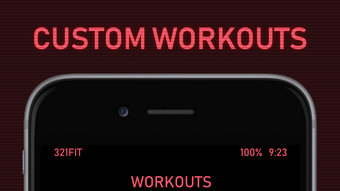
- Custom Workout Creation: Users can design personalized workout plans by selecting exercises and defining parameters such as number of sets, reps, duration, and weight.
- Pre-Loaded Workout Templates: A selection of ready-to-use routines is available for immediate use, catering to various fitness goals and experience levels.
- Real-Time Workout Guidance: Once started, the app provides visual and audio cues to guide users through each exercise, set, and rest interval.
- Automated Progress Tracking: The app logs workout data, enabling users to review past sessions and measure improvements over time.
- Timer and Audio Alerts: Built-in timers with audible notifications signal the end of a set and the start of the next exercise or rest period.
These features collectively support a disciplined, data-informed approach to fitness. For example, a user preparing for a strength training cycle can create a multi-exercise plan with specific weights and rest times, then rely on the app to deliver precise timing cues. This ensures consistency across sessions and helps prevent overtraining or undertraining. The logging function allows users to compare performance across weeks, identifying trends and setting new goals.
User Interface, Workflow & Performance
The user interface of 321FIT is designed for intuitive navigation on iPhone devices, prioritizing clarity and accessibility during workout execution. The layout emphasizes real-time feedback, with a central display showing the current exercise, set count, reps, and time remaining. Navigation is streamlined, allowing users to access workout creation, logging, and settings with minimal taps.
Workflow efficiency is enhanced by the app’s automated progression. After setting up a routine, users can initiate the session with a single tap, after which the app manages timing and transitions. The interface remains uncluttered during active use, minimizing distractions. While the developer did not specify resource usage details, the app’s 50.5 MB size suggests optimized performance for mobile environments.
Performance observations are based on general software behavior patterns. The app is expected to operate smoothly on supported iPhone models, with minimal impact on battery or system resources during active use. Stability is assumed to be consistent with standard iOS app standards, though no specific crash or lag reports were provided.
Compatibility & System Requirements
321FIT is designed exclusively for iPhone devices and requires iOS 14 or later to function. The installation size is 50.5 MB, which is relatively compact for a fitness application with active features. The developer did not provide additional system requirements, such as specific processor speed, RAM, or storage recommendations.
Compatibility information is limited to the platform and version. No details were given about support for iPad, Mac, or other Apple devices. Users should ensure their iPhone is running a compatible iOS version to avoid installation issues. The app is available through the Apple App Store, and no external dependencies or cloud services were mentioned.
Pros and Cons
Pros
- Simple, intuitive interface tailored for iPhone users
- Comprehensive workout customization with real-time guidance
- Audio cues help maintain focus and timing during sessions
- Free to download and use with no in-app purchases mentioned
- Efficient progress tracking for long-term fitness goals
Cons
- Platform limited to iPhone; no support for other devices
- Exact performance metrics and resource usage were not specified
- Limited to iOS ecosystem; no cross-device synchronization noted
- Pre-loaded workouts may not cover all niche fitness styles
- App size, while small, may still impact older devices with limited storage
FAQ Section
Is 321FIT available for free?
Yes, 321FIT is available at no cost on the Apple App Store. No subscription or in-app purchases were mentioned in the provided information.
Can I use 321FIT offline?
Yes, the app does not require an internet connection to function once installed. All workout data and timers operate locally on the device.
Does 321FIT support custom workouts?
Yes, users can create personalized workout plans by selecting exercises and setting parameters such as sets, reps, weight, and rest intervals.
Is the app secure for personal fitness data?
As a local-first application, 321FIT stores workout logs on the user’s device. No cloud synchronization was mentioned, which may enhance privacy but limits data backup options.
How often are updates released?
The release date of the current version is May 15, 2024. Specific update frequency was not provided, but users can expect updates through the Apple App Store.
Final Thoughts
321FIT delivers a focused, user-friendly experience for iPhone users aiming to enhance their fitness routines through structure and consistency. Its ability to guide workouts with audio cues and real-time tracking makes it a valuable tool for those who value precision and motivation. The absence of in-app purchases and the free availability further strengthen its appeal.
While its exclusive iOS compatibility and lack of cross-device access may limit broader adoption, the app excels within its defined scope. It is particularly well-suited for individuals who train regularly and want a reliable, no-frills solution to manage their sessions. For iPhone users seeking a smart, automated way to track and execute workouts, 321FIT offers a compelling, accessible option.
Download 321FIT now to streamline your fitness journey and stay on track with every rep, set, and rest interval.







